A scripted voice bot can hold a conversation. What it can't do is tell a caller whether the exact thing they want is sitting in your warehouse right now. That gap, between sounding capable and actually knowing something true about your business, is why most AI phone agents still feel like a politer version of the phone tree they replaced.
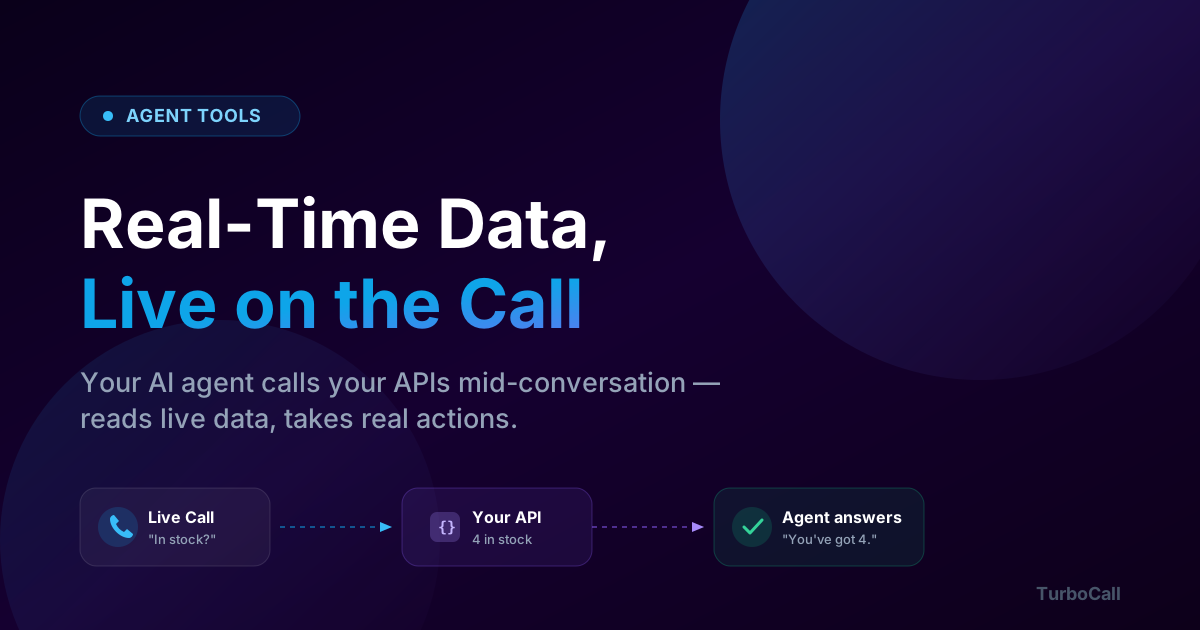
Agent Tools close that gap. They let your voice agent call your own APIs in the middle of a live call, read real data back to the caller, and take real actions, place an order, book a fitting, pull up an account, with nobody at a keyboard. It's the difference between "I'll have someone call you back" and "You've got four in stock, want me to reserve them?"
This is a walkthrough of how that works, what to watch out for, and the one mistake I made early on that taught me to respect live data.
What a "tool" actually is
A tool is just an HTTP request your agent is allowed to make during a call, described in plain language so the model knows when to reach for it. You give it a name, a one-line description of when to use it, the endpoint to hit, and how to map the conversation into the request and the response back into speech.
Say a caller asks, "Do you have the medium in white?" The agent recognizes that as a stock question, calls your check_stock endpoint with size and color, gets back a number, and works it into the next sentence. The caller never knows an API was involved. They just got a straight answer.
The model decides *when* to call a tool, but it does not get to invent the data. The number it speaks comes from your system, not from the LLM's imagination. That distinction is the entire point, and it's also where things get interesting.
Read tools vs. action tools
Not every tool is equal. Reading a stock level is harmless. Charging a card is not. So tools come in two kinds, and they behave very differently on a call.
| Read tool | Action tool | |
|---|---|---|
| Examples | Check stock, look up an order, find a customer | Place an order, book an appointment, take a payment |
| When it runs | Immediately, the moment the agent needs the answer | Only after the caller confirms out loud |
| Safety | Safe to retry | Idempotent, it can't fire twice for the same request |
| Caller experience | Invisible | The agent reads the details back and waits for a "yes" |
A read tool fires the instant the agent needs it. An action tool is deliberately slower: before it does anything irreversible, the agent reads the details back, "Just to confirm, four white t-shirts in medium, shipping to your address on file. Shall I place it?", and waits for a real yes. If the line drops or the caller hesitates, nothing happens. And because action tools are idempotent, a flaky network or a retry won't quietly create two orders.
If you've ever had a human agent "accidentally" sign you up for something on a call, you understand why this matters. The confirmation step isn't friction. It's the thing that lets you trust an automated system with a credit card.
Ready to try AI voice agents?
Deploy in minutes with 119+ pre-built templates. No code required.
The part everyone underestimates: what happens when the data isn't there
Here's the mistake. The first time I wired a live lookup into a call, I tested it with a cooperative caller, it pulled their usual order, and the agent said the right number. Shipped it. Felt great.
Then a different caller phoned in, one the lookup couldn't identify, and the agent cheerfully told them their usual order was "stats dot avg underscore monthly underscore t-shirts." Out loud. In a real voice. The raw variable, read like a sentence.
The fix was easy once I saw it. The lesson was the part that stuck: fetching live data is easy; handling its absence is the actual work. A lookup will sometimes return nothing, the customer is new, the API times out, the record is incomplete. When that happens, the agent has to degrade gracefully ("How many would you like this time?") instead of leaking a placeholder or, worse, making up a number to fill the silence.
So when you design a tool, spend most of your time on the unhappy paths: empty response, slow response, error response. That's what separates a demo from something you'd put in front of customers. For the same reason, the agent is built to never speak an unresolved variable, if the data isn't there, the placeholder is dropped, not spoken.
Keeping the wait from feeling like a wait
APIs take time. Even a fast lookup is half a second to a second and a half, and on a phone call a second of dead air feels like five. People start saying "hello? are you there?"
The trick is to fill it. When the agent calls a tool, it can play a short status line first, "Let me check that for you, one moment", and then deliver the answer when the data lands. You write these lines yourself, and they can use call variables, so it sounds like a person glancing at a screen rather than a machine stalling. Small thing. Huge difference in how the call feels.
For tools where the caller doesn't need to wait at all, logging something to your CRM, firing a webhook, you can mark them fire-and-forget. The agent kicks them off and keeps talking. The work happens in the background and never blocks the conversation.
Letting an AI hit your API without losing sleep
The reasonable objection to all this is: you want a robot to call my production API? Fair. A few things make it safe.
Every request TurboCall sends to your endpoint is HMAC-signed. Your server recomputes the signature with a shared secret and rejects anything that doesn't match, so you can prove a request genuinely came from us and not from someone who found your URL. On top of that, the read/action split means your sensitive endpoints simply never run without an explicit spoken confirmation, and idempotency keys stop duplicates cold.
And you get a record of everything. Every tool call is written to an Invocation Log, which tool ran, the arguments, the HTTP status it got back, how long it took, and whether it succeeded, was skipped, or failed. When a call goes sideways, you're not guessing. You can see exactly what the agent asked your system and what it heard back. (If you're wiring this into a CRM specifically, the CRM integration guide covers the field-mapping side in more depth.)
A real example, start to finish
Put it together and a typical exchange looks like this:
- Caller: "Hey, I want to reorder my usual t-shirts."
- The agent looks the caller up by their number (a read tool) and finds their history.
- Agent: "Welcome back. You usually get five, want the same this time?"
- Caller: "Actually make it five in white, medium."
- The agent checks stock (read tool), finds only four, and says so honestly: "I've got four white in medium right now, want those four, or a different color for the fifth?"
- Caller: "Four's fine."
- Agent: "Four white medium, shipping to your address on file. Shall I place it?", and only after the "yes" does the action tool fire and create the order.
Every fact in that call, the order history, the stock count, the confirmation number, came from real systems. The model handled the language; your APIs handled the truth. That's the whole model in one call, and it's the same pattern whether you're automating outbound calls or running an inbound line.
How to get started
If you already have the endpoints, a stock check, an order lookup, a booking call, you're most of the way there. You point a tool at each one, write the description and the read-back line, mark it read or action, and test it against a sandbox before it ever touches a live call. No glue code, no separate backend.
Agent Tools and Data Connectors are available on the Pro ($64.99/mo) plan. If you're not sure whether your agent even needs them yet, the what-is-an-AI-voice-agent guide is a good place to start; come back here when you want it to stop saying "let me have someone check" and start just knowing the answer.